
Fill & Sign · signing document PDF
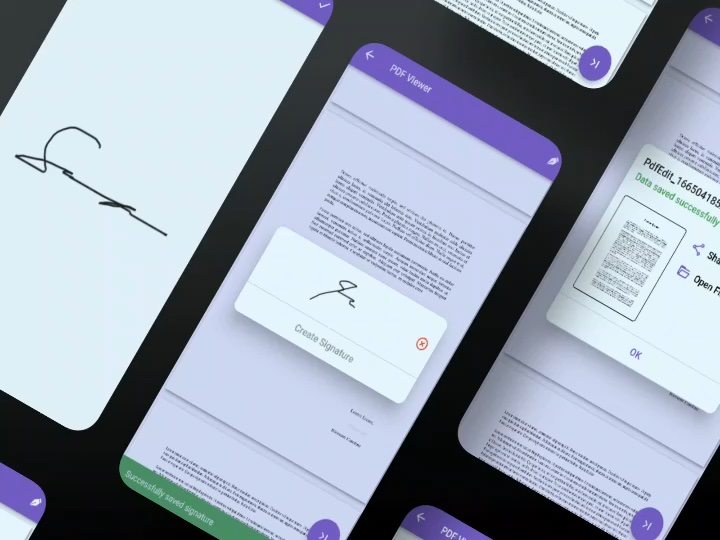
A Flutter application for signing PDF documents. Add signatures to individual pages, place multiple signatures in one document, then save and share the signed PDF.
Open projectA Flutter application for signing PDF documents. Add signatures to individual pages, place multiple signatures in one document, then save and share the signed PDF.
A Flutter application for signing PDF documents. Add signatures to individual pages, place multiple signatures in one document, then save and share the signed PDF.
Open project




Fill & Sign is a Flutter application that explores a straightforward way to add handwritten signatures to PDF documents through a mobile-friendly workflow.
The project focuses on the essential steps of signing a document: opening a PDF, creating a signature, placing it on the required pages, and saving the updated file.
Users can create a signature and save it as an image, then place it on individual PDF pages as needed. The application also supports multiple signatures within the same document, making it possible to handle documents that require signatures in different locations.
Once the signature placements are complete, users can save the signed PDF and share the resulting file. This keeps the core document workflow in one application, from signature placement to the final output.
Built with Flutter and Dart, Fill & Sign demonstrates a practical approach to PDF interaction and document handling in a mobile application. Its scope centers on the core signing experience rather than a full digital-signature management platform.
A closer look at the interfaces, workflows, and details behind the work.
Explore more projects, discover new ideas, and see what else I've been working on.
A cross-platform flight booking application built with Flutter. Explore destination details, manage user accounts, and experience an online flight ticket transaction flow backed by a Clean Architecture approach.